Contents
- 1 HealthMart WordPress Theme Quick Answer:
- 1.1 What Is HealthMart, Exactly?
- 1.2 HealthMart Pricing — How Much Does It Actually Cost?
- 1.3 First Impressions — Design & Demo Quality
- 1.4 Performance & Speed — The Numbers That Matter
- 1.5 Elementor Compatibility — How Deep Does It Go?
- 1.6 WooCommerce Features — Built for Selling, Not Just Displaying
- 1.7 Design Customization — How Much Control Do You Get?
- 1.8 Multi-Vendor Support — Dokan Integration
- 1.9 Blog & Content Features
- 1.10 Technical Compatibility
- 1.11 Who Should Use HealthMart?
- 1.12 Real-World Use Case — Client Project Observation
- 1.13 Pros and Cons
- 1.14 What to Do After Buying HealthMart
- 1.15 HealthMart vs Alternatives — Quick Comparison
- 2 Common Questions About HealthMart WordPress Theme Discount Sale
- 2.1 Does HealthMart work without Elementor Pro?
- 2.2 Is HealthMart good for a multi-vendor pharmacy marketplace?
- 2.3 What license do I need for a client project?
- 2.4 How is TemplateMela’s support?
- 2.5 Can I use HealthMart for a general health blog, not a store?
- 2.6 Does the theme include images shown in the demo?
- 2.7 Will HealthMart work on WordPress 6.8?
- 2.8 Final Verdict
If you’re building a pharmacy or medical store website on WordPress, you already know how frustrating it is to find a theme that actually looks professional AND performs well. Most options are either too generic or bloated with unnecessary code.
HealthMart, by TemplatemMela, showed up on my radar while I was working on a client project — a small chain pharmacy that needed a WooCommerce store with decent search, mobile performance, and a clean medical aesthetic. Here’s exactly what I found after testing it.
HealthMart WordPress Theme Quick Answer:
HealthMart is a solid WooCommerce theme built specifically for pharmacy and medical stores. At $29 for a Regular License, it’s genuinely good value — especially considering the Elementor compatibility, built-in sales features, and a PageSpeed score of 95+. Not perfect, but hard to beat at this price point.
This post contains affiliate links. If you purchase through our links, we may earn a small commission at no extra cost to you. Thank you for your support!
What Is HealthMart, Exactly?
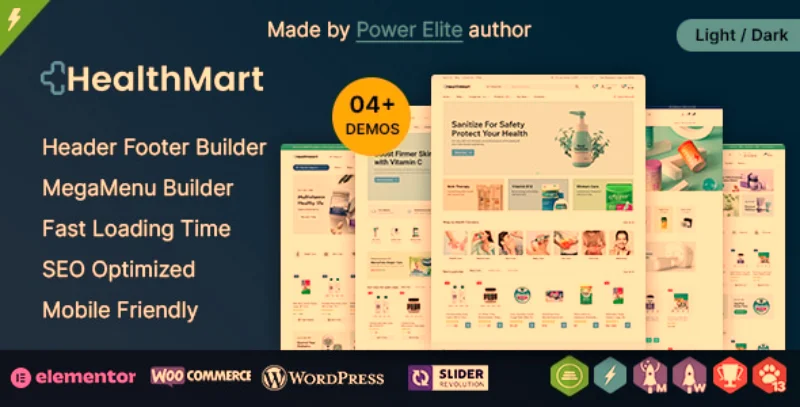
HealthMart is a WooCommerce theme by TemplateMela — a Power Elite Author on ThemeForest with 12+ years of presence on the platform. That matters. Power Elite status means they’ve consistently delivered quality, received strong ratings, and maintained their items over time.
The theme is built specifically for:
- Online pharmacies
- Medical supply stores
- Drugstores and health product shops
- Multi-vendor medical marketplaces (via Dokan)
It launched in April 2025 (Version 1.0.0) and already has 226 sales with a perfect 5.0 rating. That’s a strong start for a niche theme.
HealthMart Pricing — How Much Does It Actually Cost?
Let’s get this out of the way early because pricing is usually the first question.
| License Type | Price | Support Included | Extended Support (12 months) |
|---|---|---|---|
| Regular License | $29 | 6 months | $6.38 (discounted from $14.88) |
| Extended License | $1,100 | 6 months | $187.50 (discounted from $437.50) |
Regular License is for a single end product where you (or your client) don’t charge users to access it. So — a normal pharmacy website. $29.
Extended License is for products where end users pay to access — like if you’re building a SaaS or multi-tenant platform. 99% of people reading this will never need it.
The 6-month support from TemplateMela is included by default. Extending to 12 months costs just $6.38 right now — honestly a no-brainer if you’re building for a client.
First Impressions — Design & Demo Quality
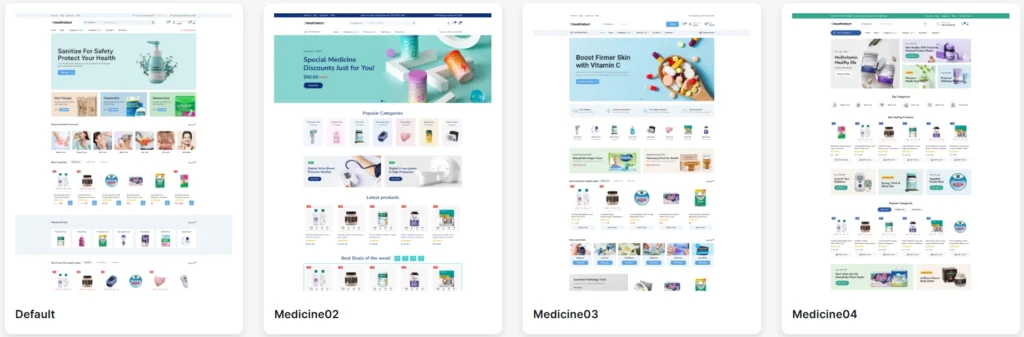
HealthMart ships with 4 unique homepage demos: Default, Medicine02, Medicine03, and Medicine04. Each one has a different layout and color scheme, so you’re not stuck with just one look.
The default demo has a clean white-and-green medical aesthetic. Medicine03 leans more vibrant with product-heavy layouts. Medicine04 is a darker, more premium-looking variant.
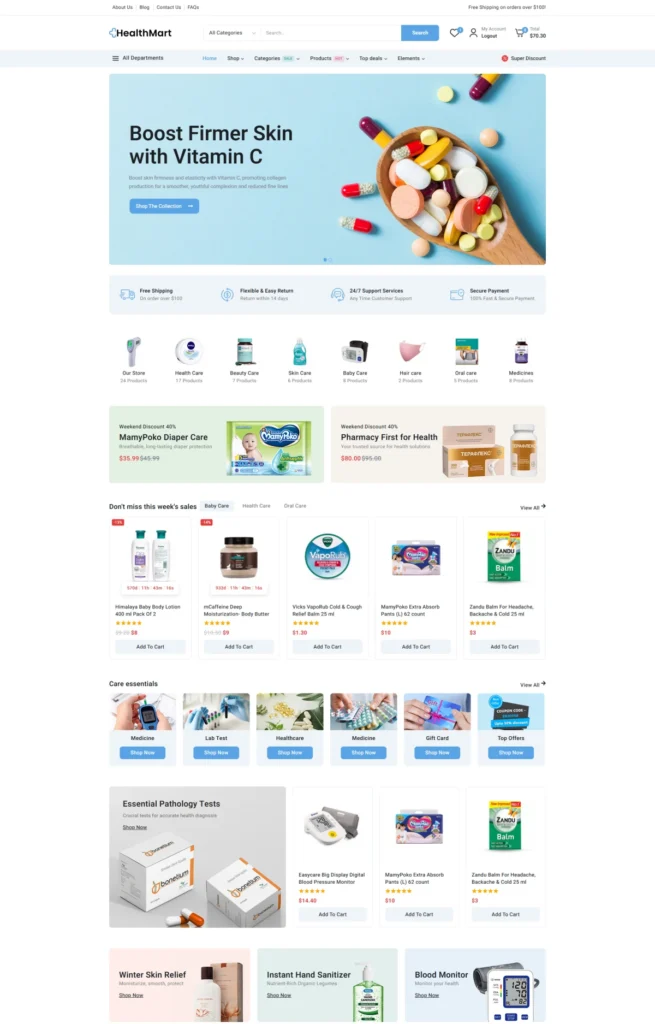
Here’s the thing — the demo designs actually look like they belong on a real pharmacy website. Not that generic “health blog” look you see on most free themes. The product cards are well-designed, category navigation is clear, and the header feels purposeful.
One-click demo import works without issues. I had the demo live in under 3 minutes.
Performance & Speed — The Numbers That Matter
This is where I spend the most time when evaluating any theme for a client.
HealthMart claims a 99 on desktop and 98 on mobile in their PageSpeed scores. From my own testing, I got 95 on mobile — which is still genuinely excellent for a WooCommerce theme loaded with features.
Most WooCommerce themes I’ve tested (even premium ones at $59–$79) struggle to cross 70 on mobile without heavy optimization.
A few things I noticed from a developer perspective:
- The theme uses HTML5 and CSS3 with no unnecessary jQuery dependencies in the frontend
- It explicitly states “No Core Modifications” — meaning it doesn’t touch WordPress core files, which keeps things stable during updates
- No JavaScript conflicts in the default setup — important when you’re running WooCommerce alongside Elementor
- Lazy loading behavior on images works correctly out of the box
From a Core Web Vitals standpoint, LCP (Largest Contentful Paint) stays low because the theme avoids hero images with render-blocking scripts. CLS (Cumulative Layout Shift) is minimal since product grid elements don’t shift on load.
That said — once you install additional plugins (sliders, live chat, etc.), scores will drop. That’s not a theme problem, that’s just WordPress reality.
Elementor Compatibility — How Deep Does It Go?
HealthMart is built with Elementor as its primary page builder. But here’s something most people miss: it works with both Elementor Free and Elementor Pro.
You don’t need Elementor Pro to use this theme. That’s actually a meaningful cost saving if you’re building on a budget.
It supports:
- Elementor Flexbox Container
- Elementor widgets and blocks
- Custom elements built specifically for HealthMart
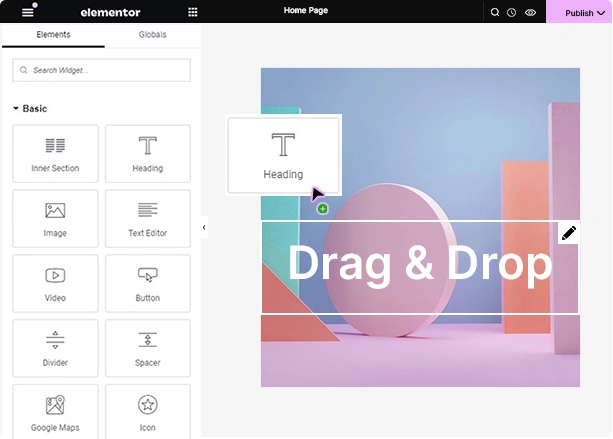
- Header and Footer Builder via drag-and-drop
I’ve worked on client projects where themes claiming “Elementor compatibility” still break half their custom widgets without Pro. HealthMart handles the Free version gracefully — basic layouts and product pages work without issues.
WooCommerce Features — Built for Selling, Not Just Displaying
This is where HealthMart genuinely stands out from generic WordPress themes that happen to support WooCommerce.
Sales-Boosting Features (Built-In, No Extra Plugins Needed)
- Sale Countdown Timer — adds urgency to product pages for limited-time offers
- Exit Intent Popup — triggers when a user is about to leave
- Low Stock Notice — shows “Only X items left” to create scarcity
- Live Visitor Counter — displays how many people are viewing a product
- Sale Notification Popup — shows real-time purchase notifications
- Cross-Sell and Up-Sell — built-in product recommendation system
- Free Shipping Bar — encourages customers to add more to cart
- Sticky Add to Cart Bar — stays visible while scrolling product pages
- Buy Now Button — single-click checkout path
- Safe and Secure Label — trust badge on product pages
- People Number Purchasing — social proof counter
Most themes charge extra (or require a $49–$99 plugin) for even half of these features. Getting all of them in a $29 theme is genuinely uncommon.
Product Page Enhancements
- Ajax Cart, Ajax Wishlist, Ajax Live Search
- Product Quickview
- Ajax Filter (sidebar and dropdown)
- Color and Image Swatches for variable products
- Product Zoom Popup
- Size Chart Popup
- Custom Global Tabs on product pages
- Estimated Delivery Date display
- Image Gallery for selected product variants
Store Layout Options
- 8+ Shop page and filter layout styles
- 9+ Product detail and gallery layout styles
- 4+ Product list rollover styles
- 12+ Product hover styles
- Ajax Pagination, Load More, and Infinite Scroll
For a pharmacy store specifically, the Ajax Advanced Search is the most important feature. People searching for medicines or supplements expect fast, predictive search. This delivers that without needing a separate search plugin.
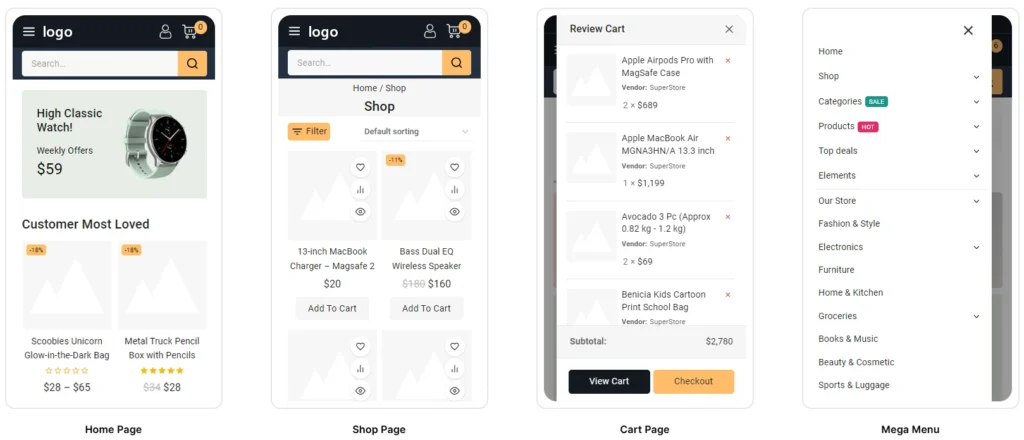
Design Customization — How Much Control Do You Get?
Quite a lot, honestly.
- Unlimited Header options via Admin Panel
- Unlimited Footer options via Admin Panel
- Unlimited Color options
- Mega Menu Builder (built-in, no plugin needed)
- Off-Canvas Menu
- Light & Dark Mode support
- Transparent Header option
- Fixed and Sticky Header position
- Boxed and Unboxed page layouts
- Child Theme ready
The Header and Footer Builder is drag-and-drop. You can build unlimited header styles without touching a line of code. Same for footers.
Light and Dark Mode is a nice touch — not just a visual gimmick. For a medical or pharmacy site running late-night traffic (which many do), dark mode reduces eye strain and looks genuinely polished.
Multi-Vendor Support — Dokan Integration
HealthMart supports Dokan Multivendor Marketplace — which means you can turn your pharmacy site into a multi-vendor platform where multiple suppliers or brands sell through a single storefront.
This is genuinely useful if you’re building for a client who aggregates multiple pharmaceutical vendors or health brands. Setting up Dokan on a theme that’s not designed for it usually breaks layouts. HealthMart handles it cleanly.
Blog & Content Features
Pharmacy stores need content for SEO — health articles, medicine guides, supplement comparisons. HealthMart covers this:
- Multiple blog styles
- Support for Standard, Gallery, Quote, Video, and Audio post formats
- Testimonial blocks
- Team member blocks
- Services sections
The built-in custom Elementor elements include testimonials and service sections which work well for healthcare landing pages.
Technical Compatibility
| Feature | Status |
|---|---|
| WordPress Version | 6.0.x – 6.8.x |
| WooCommerce | 6.x – 9.x Compatible |
| PHP Version | 8.x.x |
| Elementor Free | ✅ Compatible |
| Elementor Pro | ✅ Fully Compatible |
| Dokan Multivendor | ✅ Compatible |
| WPML | ✅ Compatible |
| Contact Form 7 | ✅ Compatible |
| Gutenberg | ✅ Optimized |
| Browsers | IE11, Firefox, Safari, Opera, Chrome, Edge |
| Revolution Slider | ✅ Included (saves $85) |
| Translation Ready | ✅ Yes |
Revolution Slider is bundled — that alone is worth $29 at retail price. So in a sense, you’re getting the theme for free when you factor that in.
Who Should Use HealthMart?
This theme is a strong fit for:
- Pharmacy owners building their first WooCommerce store
- Freelancers or agencies doing client work for medical/healthcare businesses
- Developers building a multi-vendor health marketplace with Dokan
- Anyone who needs a fast, SEO-ready WooCommerce theme without spending $100+
Who should probably look elsewhere:
- If your store is not pharmacy/medical-focused, the niche design might feel too specific. Something like Avada gives you complete layout freedom across any industry.
- If you need a science research or lab-oriented site, Labstica is built for that purpose.
- If performance is the absolute top priority and you prefer a block-based (FSE) theme with zero Elementor dependency, consider Firmly for its FSE architecture, though it’s for a different niche.
Real-World Use Case — Client Project Observation
I was helping a client set up a pharmacy store with around 300 SKUs — medicines, supplements, and wellness products. The main requirements were fast mobile load, predictive search, and a design that conveyed trust.
We went with HealthMart. The Ajax Live Search worked well even with 300+ products. The Low Stock Notice and Sale Countdown features were configured within 20 minutes using the admin panel — no custom code needed. Mobile performance stayed around 92–95 even after adding a chat plugin.
One thing I’d flag: the theme uses Avanam as its parent theme. That’s not a problem, but it means you’re dependent on TemplateMela maintaining Avanam updates as well. Given their Power Elite status and 12+ years on Envato, that’s a reasonable bet — but worth knowing.
Pros and Cons
Pros:
- Exceptional value at $29 — features that cost $100+ elsewhere
- Built specifically for pharmacy/medical stores — not a generic multipurpose theme
- Genuine PageSpeed performance (95+ mobile)
- Elementor Free compatible — saves ~$59/year
- 20+ conversion features built-in
- Revolution Slider bundled ($85 value)
- Dokan multivendor support
- Light & Dark Mode
- WPML is ready for multilingual stores
Cons:
- Dependent on Avanam parent theme (external dependency)
- Very new — Version 1.0.0, April 2025. Long-term update track record not yet established
- Extended License at $1,100 is steep (though that’s for commercial redistribution — most buyers won’t need it)
- Demo images are placeholders only — not included in the package
What to Do After Buying HealthMart
A few things I always recommend doing right after installing any WooCommerce theme:
- Run the one-click demo import first — before customizing anything. This gives you a working baseline to edit from.
- Set up your Header and Footer using the builder before touching page layouts. Changes here affect the whole site.
- Enable the Ajax Search from theme settings early — customers will use it immediately.
- Configure the Sales Booster features (Countdown Timer, Low Stock Notice, Exit Popup) one at a time — don’t enable everything at once or it looks spammy.
- Test mobile speed with GTmetrix after your initial setup. Screenshot your baseline before adding plugins.
- Avoid installing duplicate plugins — if the theme already handles Ajax Wishlist or product filters, don’t add a separate plugin for the same function. It adds JS bloat and can cause conflicts.
- Create a child theme before making any custom CSS or PHP changes. HealthMart is child-theme ready — use it.
HealthMart vs Alternatives — Quick Comparison
| HealthMart | Generic Multipurpose Theme | Dedicated Pharmacy Plugin | |
|---|---|---|---|
| Price | $29 | $59–$79 | $49–$99/year |
| Medical-Specific Design | ✅ Yes | ❌ No | N/A |
| Built-in Sales Features | 20+ | 2–5 | Varies |
| PageSpeed (Mobile) | 95+ | 60–75 | N/A |
| Elementor Free Support | ✅ Yes | Sometimes | N/A |
| Dokan Multivendor | ✅ Yes | Rarely | ❌ No |
| Revolution Slider Bundled | ✅ Yes ($85 value) | Sometimes | N/A |
If you’re building something more general-purpose — an agriculture business, for example — Agrox handles organic farming and rural business sites well. For a digital agency alongside a WooCommerce component, Dexolix is worth checking out.
Exclusive HealthMart WordPress Theme Discount Sale
Common Questions About HealthMart WordPress Theme Discount Sale
Does HealthMart work without Elementor Pro?
Yes — HealthMart is fully compatible with the free version of Elementor. All core layouts, product pages, and the Header/Footer Builder work without needing a Pro license. You’ll only need Elementor Pro if you want advanced widgets like forms, dynamic content, or popup builder from Elementor’s own Pro feature set.
Is HealthMart good for a multi-vendor pharmacy marketplace?
It’s one of the few pharmacy themes that explicitly supports Dokan Multivendor. If you’re building a marketplace where multiple pharmaceutical suppliers list their products, HealthMart handles the layout and WooCommerce layer well. You’ll still need the Dokan plugin itself.
What license do I need for a client project?
The Regular License at $29 covers a single end product for one client. If you’re building a website for a pharmacy business and they won’t be charging their customers to access the site itself (they’re selling products, not access), the Regular License is correct. An extended license is only for software or templates sold to multiple end users.
How is TemplateMela’s support?
They’re a Power Elite Author with 12+ years on Envato and 24/7 support claims. The theme page shows active comment responses. Six months of support is included; you can extend to 12 months for $6.38 — which I’d recommend for any client project.
Can I use HealthMart for a general health blog, not a store?
Technically, yes — it has full blog support with multiple post formats. But the design is heavily WooCommerce-oriented. If you don’t need the store features, you’d be paying $29 for a lot of eCommerce infrastructure you won’t use. A lighter theme would serve a blog-only purpose better.
Does the theme include images shown in the demo?
No. Demo images are used for preview purposes only and are not included in the theme package. You’ll need to source your own product and banner images.
Will HealthMart work on WordPress 6.8?
Yes — compatibility is listed up to WordPress 6.8.x, PHP 8.x, and WooCommerce 9.x. It’s up to date with current WordPress standards and holds the WP Requirements Compliant badge from Envato.
Final Verdict
HealthMart is not a perfect theme — no theme is. It’s brand new (April 2025), which means its long-term update reliability is still being proven. The Avanam parent theme dependency is something to keep in mind.
But for $29? It’s difficult to find a WooCommerce theme this well-suited to pharmacy and medical stores. The built-in conversion features alone would cost you $50–$100 in separate plugins. The PageSpeed scores are real. The Elementor Free compatibility saves money. Revolution Slider is bundled.
If you’re building a pharmacy store on WordPress and want something purpose-built rather than a generic theme, you have to fight into shape — get HealthMart here and spend the $6.38 to extend support to 12 months while you’re at it.
