This post contains affiliate links. If you purchase through our links, we may earn a small commission at no extra cost to you. Thank you for your support!
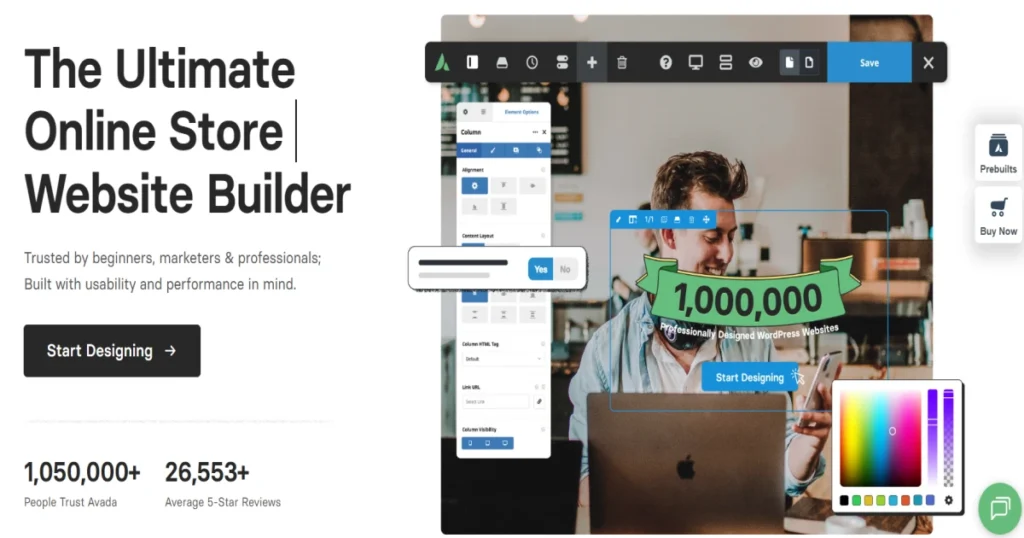
Over a million websites. 26,000+ five-star reviews. 12 years as the #1 seller on Themeforest. And yet — I still get this question every week from clients: “Karan, should I actually buy Avada, or is it just hype?”
Honestly? It depends on what you’re building and who’s building it.
I’ve used Avada on multiple client projects over the past 7 years — everything from small business websites to full WooCommerce stores. So this isn’t a surface-level review. I’m going to tell you what’s genuinely good, what’s frustrating, and whether that $69 price tag makes sense for your use case.
Avada Theme Review Quick Answer:
Avada is a feature-rich WordPress website builder theme that costs $69 (one-time, regular license on Themeforest). It includes 6 premium plugins, 110+ pre-built websites, 120+ design elements, and lifetime free updates. Best for freelancers, agencies, and WooCommerce store owners who want a single theme that handles almost everything. Not ideal if you want a lightweight, speed-first setup out of the box.
What Exactly Is Avada?
Avada isn’t just a theme anymore. ThemeFusion — the team behind it — has built it into a full-featured website builder. It comes with its own page builder (Avada Builder, formerly Fusion Builder), layout builder, header/footer builder, form builder, WooCommerce builder, and more.
Think of it like this: instead of buying a theme + Elementor + a form plugin + a slider plugin separately, Avada bundles most of that into one purchase.

The current version is Avada 7.15, updated on April 14, 2026. This is a theme that’s actively maintained — not abandoned after initial sale.
How to Buy Avada — Quick Steps
Since many people land here looking for exactly this:
- Go to Themeforest.net and search “Avada”
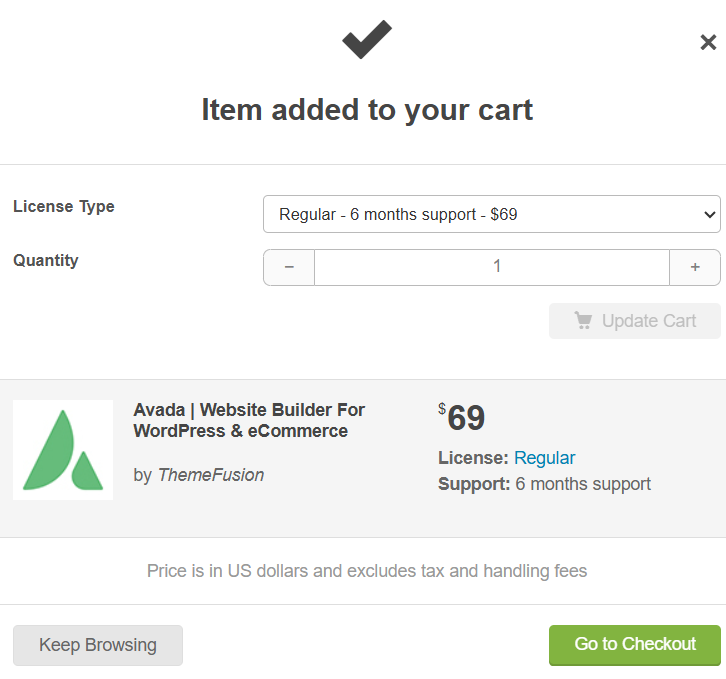
- The Regular License is $69 (one-time payment)
- You get 6 months of support from ThemeFusion included
- Extended support (12 months) costs an additional $21.38
- Add to cart → checkout → download the theme zip file
- Install via WordPress Dashboard → Appearance → Themes → Add New → Upload
Note: Pricing is in USD and excludes tax/handling fees. Always verify the current price on Themeforest directly as it may change.
What’s New in Avada 7.15
The latest version brought some genuinely useful WooCommerce upgrades:
AJAX-Driven Woo Product Filters — Products now filter in real time without page reloads. If you’re running a WooCommerce store, this is a meaningful UX improvement. Less bounce, smoother browsing. From a performance standpoint, AJAX filtering done right reduces full-page HTTP requests, which helps your server load.
Woo Filter By Category Element — Customers can now browse products by category with flexible layouts and styling options. More visual, more brand-aligned.
Woo Filter By Brands Element — Brand-based filtering with column layouts and thumbnail styling. Great for multi-brand stores.
Avada Woo Sorting Element Reimagined — Full control over the product sorting toolbar, including layout and per-page display options.
Postcard Layouts — 3 New Styles — Stacked, Overflow, and Marquee layout styles added. These are clean ways to display blog posts, portfolios, and products.
Forms User Input in Notices via Placeholders — Avada forms now support dynamic user input values inside notice messages. Small but useful for personalized UX.
Other v7.15 additions: Remote navigation for Carousel/Post Cards, dynamic data copy-paste, Events Calendar category coloring in Meta element, and WP Conditional Tags in the Rendering Logic Engine.
Core Features Breakdown
Avada Website Builder (Formerly Fusion Builder)
This is the heart of Avada. The drag-and-drop builder works directly on the front end — what you see is what you get. 120+ design and layout elements give you a lot to work with: buttons, postcards, tabs, product grids, carousels, social icons, and more.
One thing I’ve noticed working with it on client projects: the builder is heavier than Bricks or Gutenberg in terms of DOM output. It adds its own shortcodes and wrapper divs. Not a dealbreaker, but worth knowing if you’re obsessing over clean HTML output.
Gutenberg optimized: Yes — Avada plays well with the WordPress block editor, too.
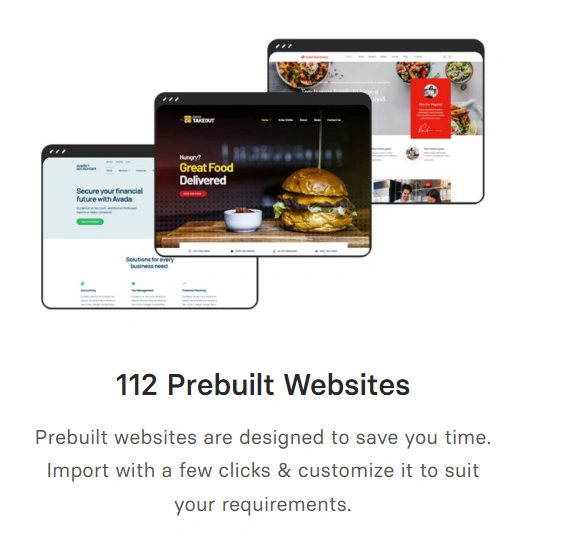
110+ Pre-Built Websites
These are full demo sites — not just page templates. You get niches like Agency, WooCommerce, Restaurant, Gym, Portfolio, Blog, Real Estate, Hosting, Magazine, and many more.
Import happens with a few clicks. One of my clients needed a professional services website up in a day — we imported the “Business Coach” demo and had it customized by the end of the day. That’s the real value here.
Performance Wizard
This is something most people miss. Avada has a built-in Performance Wizard that walks you through:
- Disabling unused features
- Critical CSS generation
- Font management
- Icon scanner (removes unused icon sets)
- Image and video optimization
- Image preloading
From a web developer’s perspective, this matters. Avada’s default install can be heavy — jQuery-dependent, loads multiple CSS files. But the Performance Wizard helps you cut the bloat significantly. I’ve seen sites go from 80 PageSpeed scores to 90+ just by running through this wizard properly. Don’t skip it.
Mega Menu Builder
No third-party plugin needed. Avada’s mega menu is built-in and includes multi-column layouts, widgets, images, conditional logic, and drag-and-drop editing. Mobile-friendly too.
Avada Studio
A cloud-based content library with 590+ creative content blocks. You can pull in pre-designed sections directly into your pages. Useful for speeding up design work.
GDPR Privacy Tools
Avada includes a privacy banner builder, Google Font management (serve locally), third-party embed consent, tracking code consent, and contact form consent controls. Solid GDPR compliance built-in — no extra plugin needed for the basics.
Translation & RTL Ready
Supports WPML, Polylang, and 30+ languages. RTL layout support included. If you’re building multilingual or Arabic/Hebrew sites, this works.
Avada Pricing: Is $69 Actually a Good Deal?
Let me break down what you’re getting vs. what you’d pay separately:
| What You Get with Avada | Approximate Standalone Cost |
|---|---|
| Avada Website Builder (page builder) | $49–$99/year (Elementor Pro equivalent) |
| Revolution Slider Plugin | $35 one-time |
| Layer Slider Plugin | $22 one-time |
| Avada Form Builder | Included (replaces Gravity Forms basic) |
| WooCommerce Builder | Included |
| Mega Menu Builder | $20–$49 for plugins like Max Mega Menu Pro |
| Avada Studio (590+ content blocks) | Included |
| 110+ Pre-Built Websites | Included |
| Lifetime Updates | Included |
So $69 for all of this, with lifetime updates? The math works out. Especially for freelancers who use the same theme across multiple client sites (you’d need an Extended License per commercial project, though — check Themeforest’s licensing terms).
One honest caveat: The $49.88 extended support (discounted to $21.38 at checkout) is optional. The base $69 includes 6 months of support. If you’re a developer comfortable with documentation, 6 months is usually enough. If you’re a beginner, consider extending it.
Avada vs. Competitors
| Feature | Avada ($69 one-time) | Divi ($89/year) | Elementor Pro ($99/year) |
|---|---|---|---|
| Pricing Model | One-time | Annual subscription | Annual subscription |
| Lifetime Updates | Yes — free forever | Only with an active plan | Only with active plan |
| Pre-Built Templates | 110+ full websites | 200+ layouts | 100+ kits |
| Built-in Page Builder | Yes (Avada Builder) | Yes (Divi Builder) | Yes (Elementor) |
| WooCommerce Builder | Yes, built-in | Yes, built-in | WooCommerce widget only |
| Mega Menu | Yes, built-in | No (plugin needed) | No (plugin needed) |
| Performance Wizard | Yes, built-in | No | No |
| GDPR Tools | Yes, built-in | Partial | Partial |
| Support Period | 6 months (base) | 1 year (with plan) | 1 year (with plan) |
The big differentiator: Avada is a one-time payment with free lifetime updates. Divi and Elementor Pro require annual renewals to keep getting updates. Over 3 years, Avada at $69 beats both on cost — assuming you’re happy with one license.
Technical Audit: What Developers Should Know
Here’s what I’ve observed working with Avada on real projects:
JS/CSS Load: Avada’s default install loads jQuery, Fusion Builder CSS, Revolution Slider assets, and custom fonts — sometimes all on the same page. If you’re not careful, you can easily end up with 500KB+ of combined CSS. The Performance Wizard helps, but you need to actually use it.
Core Web Vitals: LCP (Largest Contentful Paint) can be impacted if you’re using Revolution Slider with large background images on the hero. Use WebP images, lazy load sliders on non-hero positions, and set LCP images as “preload” in Avada’s image settings.
jQuery Dependency: Avada still leans heavily on jQuery for its interactive elements — tabs, accordions, sliders, toggles. If you’re running a very lean WordPress setup and want vanilla JS only, Avada isn’t the right fit.
Render-Blocking Scripts: By default, some Fusion Builder scripts are render-blocking. The built-in performance wizard helps defer/combine these. Combine it with a caching plugin (WP Rocket or LiteSpeed Cache), and you’ll be in a much better position.
Compatibility: Works with Elementor? No — Avada uses its own builder, not Elementor. Works with Gutenberg? Yes. WooCommerce? Fully. WPML? Yes.
Who Should Buy Avada
Great fit for:
- Freelancers managing multiple client websites (one purchase, multi-use for personal development)
- Small agencies wanting a single theme system they know inside out
- WooCommerce store owners who want advanced filtering and product display without extra plugins
- Beginners who want ready-made demo sites and a guided setup wizard
Not the right fit for:
- Developers building speed-first, minimal WordPress sites (consider GeneratePress or Kadence instead)
- Users who are already invested in Elementor Pro — switching builders mid-project is painful
- Blogs that need a lightweight setup without page builder overhead
- Anyone who needs just a basic theme without the complexity
Real Experience: What I’ve Seen on Client Projects
On one project — a fitness coaching website — I used the “Life Coach” prebuilt demo from Avada. Import took about 4 minutes. Customization for brand colors, fonts, and content took around 3 hours. The client was live the same day.
The one issue? The default hero section used Revolution Slider with a 1.8MB background video poster image. LCP was sitting around 4.2 seconds. After converting to WebP, preloading the hero image, and running the Performance Wizard, LCP dropped to 2.1 seconds. So performance is very manageable — but it requires a few extra steps that a basic theme wouldn’t need.
What to Do After Buying Avada
Most people skip this part. Don’t.
- Run the Setup Wizard first — color palette, typography, layout type, dummy content import
- Run the Performance Wizard immediately — disable features you won’t use, enable critical CSS
- Import a pre-built demo that closely matches your niche (easier to customize than starting blank)
- Install a caching plugin — WP Rocket or LiteSpeed Cache pair well with Avada
- Register your purchase on ThemeFusion’s site to activate support access
- Check the changelog for any version-specific migration notes (especially after major updates)
Key settings not to miss:
- Global Options → Performance → enable CSS/JS minification
- Disable icon sets you’re not using (Font Awesome variants add load)
- Set a custom logo and update all demo placeholder content before going live
Common mistake: Importing a demo and going live without replacing demo images. Avada uses placeholder images that may have licensing restrictions if you leave them on a production site.

Avada | Website Builder For WordPress & eCommerce
Regular License: $69
Avada Theme Review: Related Frequently Asked Questions
Is Avada a one-time payment or a subscription?
Avada on Themeforest is a one-time payment of $69 for the Regular License. Lifetime updates are included free. You only pay additionally if you want extended support beyond the 6 months included. This makes it significantly cheaper than annual subscription builders over a 3–5 year period.
Does Avada work with WooCommerce?
Yes, Avada has deep WooCommerce integration. It includes a dedicated WooCommerce Builder, AJAX product filters (new in v7.15), brand and category filter elements, custom product sliders, carousels, and full design control over shop and product pages. It’s compatible with WooCommerce 7.x, 8.x, and 9.x.
Is Avada good for beginners?
Mostly yes. The Setup Wizard and prebuilt demo sites make it accessible for beginners. That said, Avada has a lot of options — the learning curve is real. If you’re completely new to WordPress, expect to spend a week getting comfortable with the interface before feeling confident.
How many sites can I use Avada on?
One Regular License = one end product. If you’re a developer building sites for multiple clients as commercial projects, you’d need a separate license per client site. Always check Themeforest’s licensing terms for your specific use case.
Does Avada slow down my website?
It can if not configured properly. Out of the box, Avada loads several JS and CSS files that affect page speed. However, the built-in Performance Wizard, when used correctly alongside a caching plugin, can bring Core Web Vitals scores to a solid range. I’ve personally achieved 90+ PageSpeed scores on Avada sites with proper optimization.
Avada includes Revolution Slider ($35 value), Layer Slider ($22 value), Avada Builder, Fusion White Label Branding, Filebird, and Convert Plus. These are bundled at no extra cost.
Can I use Avada with Elementor?
No. Avada uses its own Fusion/Avada Builder — they don’t work together. If you’re already using Elementor, switching to Avada means rebuilding your pages in Avada’s builder. For new projects, this isn’t an issue. For existing Elementor sites, migration is a significant effort.
Avada’s $69 price point is honest for what you get. It’s not perfect — the learning curve is real, and performance needs active attention. But for anyone building websites professionally or semi-professionally on WordPress, it’s one of the most complete single-purchase solutions available right now.
— Karan Rajput, WP Deals Expert
